NETWORK PLAN · REVISION 02

A faster home.
A connected everything.

One place for the network, local AI, storage and security build. Every device, every connection, and what’s left to order.

Cart preparation only · Nothing purchasedVerified October 18, 2026 · USD
UNIFI CART
Open UniFi cart ↗
$4,228.00
AMAZON · NETWORK ITEMS
Open Amazon cart ↗
$2,461.91
STILL TO SOURCE
3 UniFi devices + 1 NAS card
4 items

The connection plan

1Gb internet · 10Gb devices · 25Gb backbone

InternetAT&T BGW3201Gb plan · IP Passthrough
→
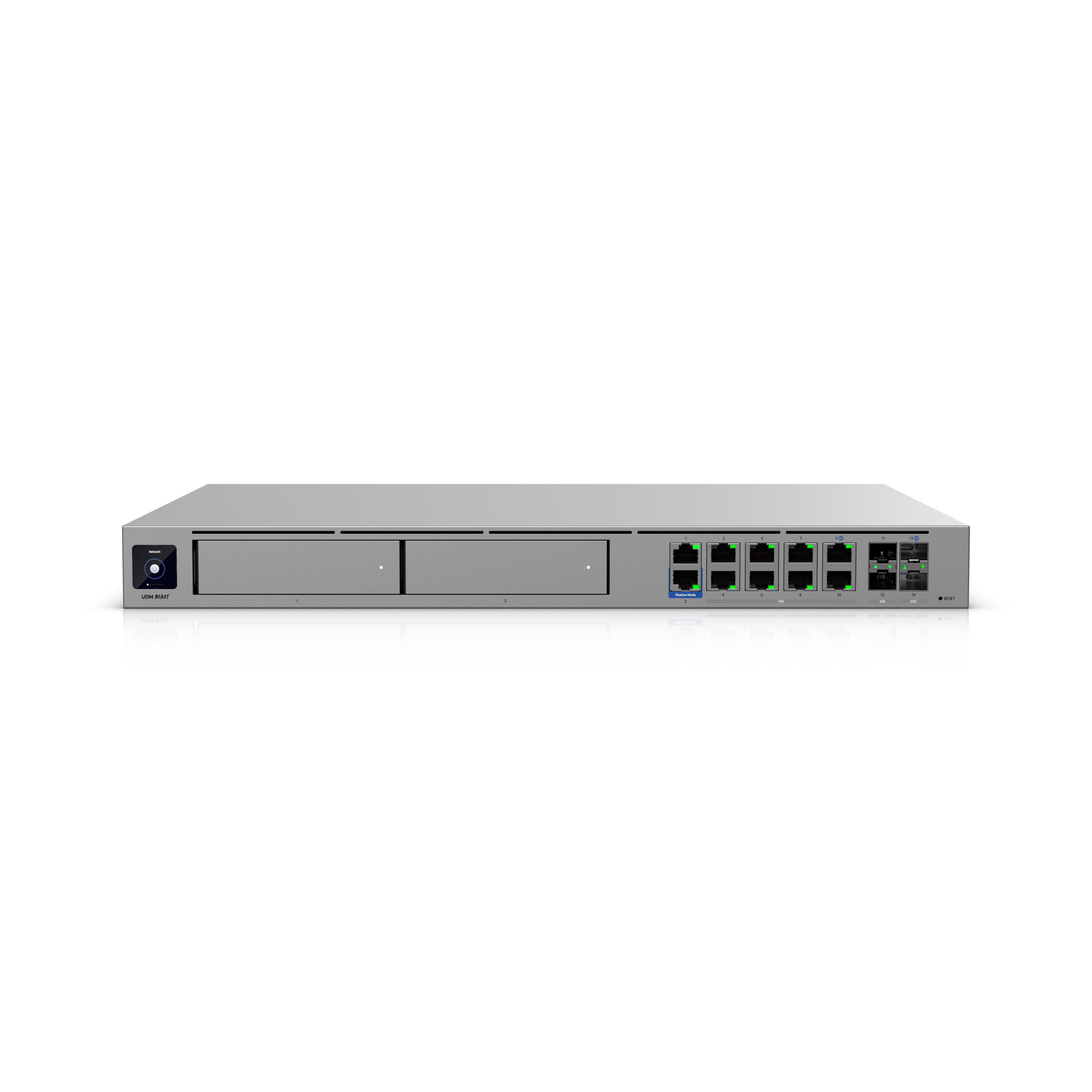
Gateway + recordingDream Machine BeastUniFi Network + Protect
→
25Gb uplinkPro XG 48 PoE10Gb clients + PoE devices
→
EndpointsCompute / NAS / Wi-FiCameras · alarm · KVMs

Keep high-volume local transfers on the same trusted LAN when appropriate. Wired 10Gb connections serve the computers and upgraded NAS; actual file speed also depends on disks, CPU and workload.

The enclosed rack & cable plan

Revision 02 · Existing P1S + AMS inside · Proposed placement

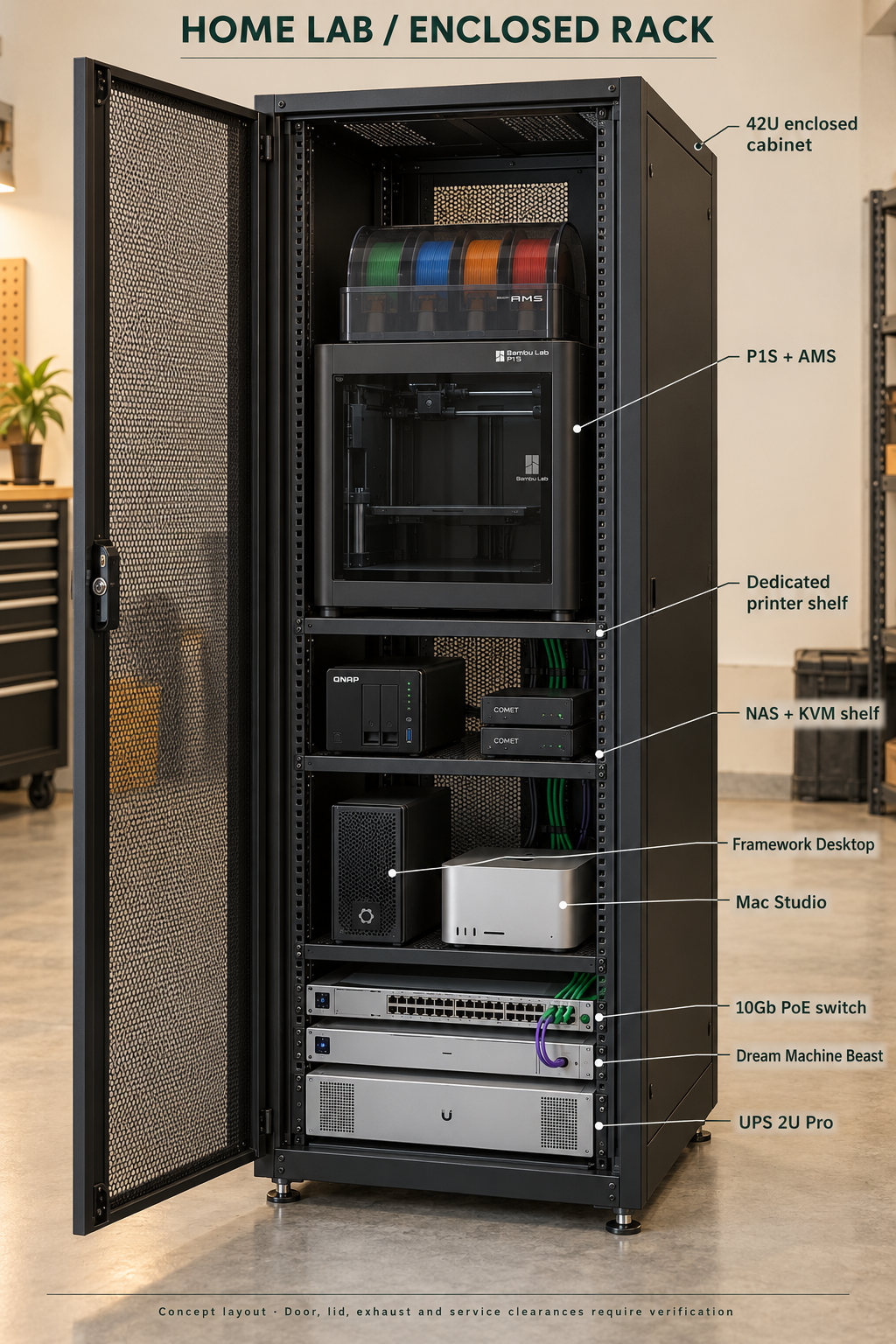
Concept rendering of a 42U enclosed cabinet with the P1S and AMS inside above the NAS, Framework Desktop, Mac Studio, network switch, gateway and UPS
AI-generated placement concept. Device faces and proportions are illustrative. Use the allocation table and cable maps for planning; this is not a CAD fit check.
42U / 19-INCH ENCLOSED CABINET

Printer inside.
Room to open and service it.

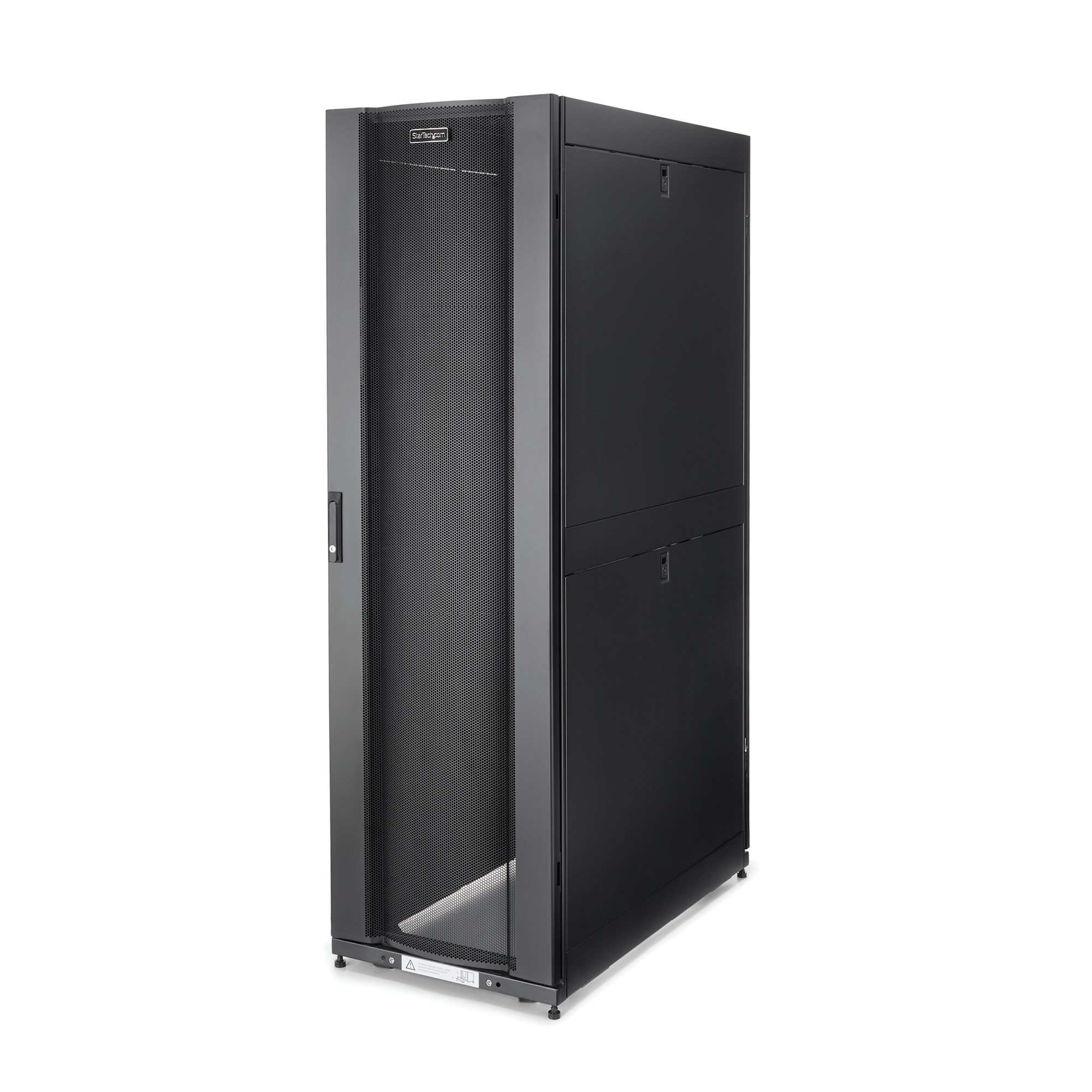
The revised cabinet is StarTech RK4242BK24, with locking mesh front/rear doors and removable side panels. It replaces the open 18U rack. Allow roughly a 24 × 43-inch floor footprint, about 2m height, plus door swing and service space.

Rack positionProposed allocation
U40–42Upper clearance / ventilation space
U16–39 · 24UDedicated heavy shelf at U16; P1S + AMS above it, with lid, door and maintenance space
U11–15 · 5UNAS shelf: TS-264 + both Comet KVMs
U5–10 · 6UCompute shelf: upright Framework Desktop + Mac Studio side by side
U4 · 1UPro XG 48 PoE switch
U3 · 1UDream Machine Beast
U1–2 · 2UUPS 2U Pro at the bottom

Keep the Framework in its case. The linked DeskPi tray requires removing its mainboard and PSU, and its 10-inch ears do not attach directly to a 19-inch rack. The existing case on a vented shelf is the selected approach.

Three shelves, not one crowded shelf. The computers share one shelf; the NAS and KVMs share another; the printer gets its own. This preserves access to the NAS bays, cables and computer ventilation.

Physical fit still needs measurement. P1S body: 389 × 389 × 458mm. Original AMS: 368 × 283 × 224mm. Closed stacked height: approximately 682mm, before shelf or isolation. The 446mm-wide shelf leaves only 28.5mm per side of the printer. Check its door swing, AMS lid opening, rear waste chute, PTFE tube routing and usable space between rails before ordering.

Garage installation: use the cabinet’s leveling feet, isolate printer vibration and keep waste out of the electronics. Mesh is ventilated rather than dust-sealed. Ventilation / extraction and isolation accessories still need selection; they are not in the carts. Check temperature with both AI computers and the printer running.

Power: keep the printer on an independent mains supply outside the IT battery-backup runtime plan. Verify circuit loading. The AMS connects to the P1S, not to the Ethernet switch.
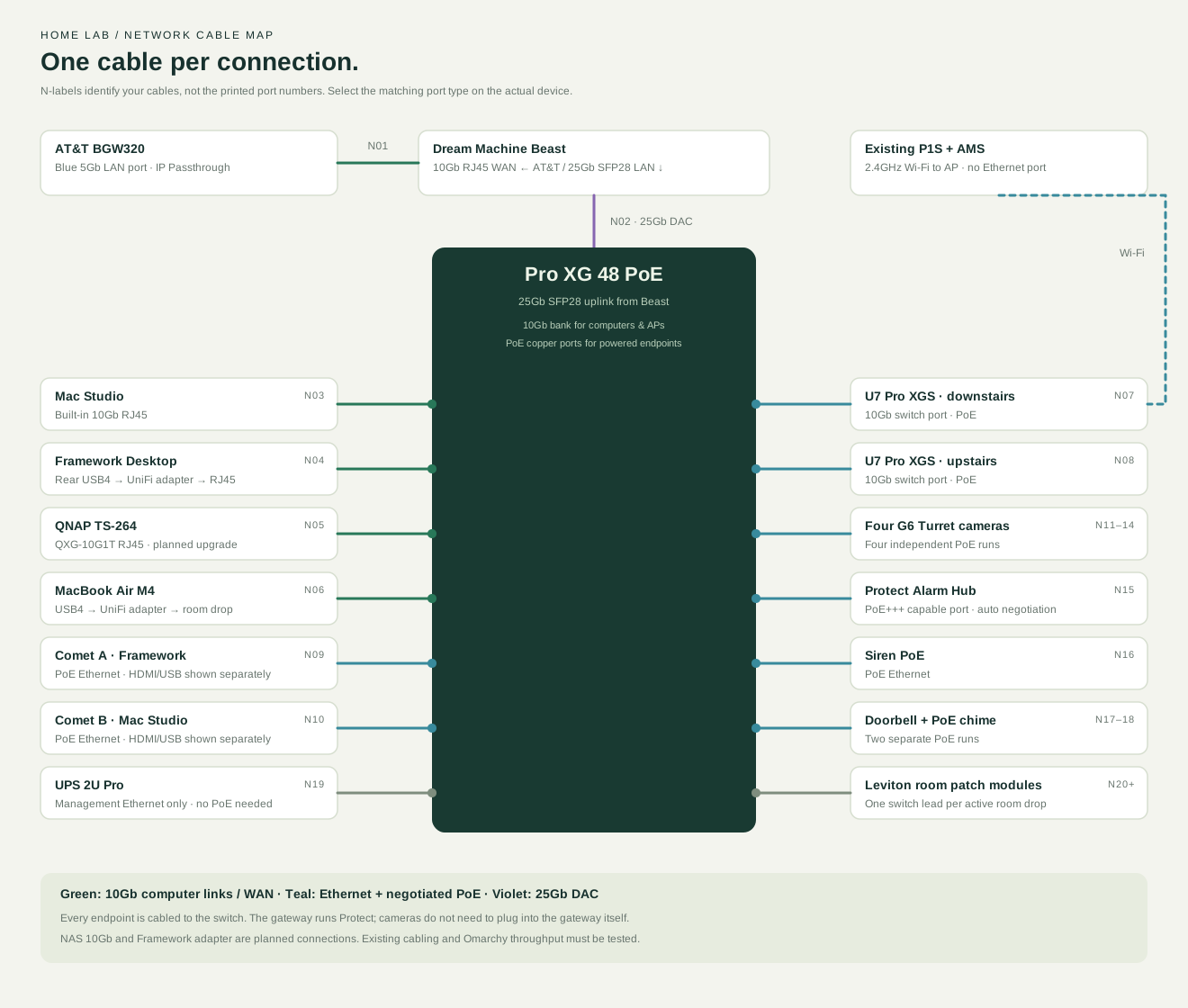
Network wiring · Internet, 25Gb uplink, computers and PoE devices
Cable map for the gateway, switch, desktops, NAS, APs, Comet KVMs, cameras, alarm and doorbell. Printer uses Wi-Fi.
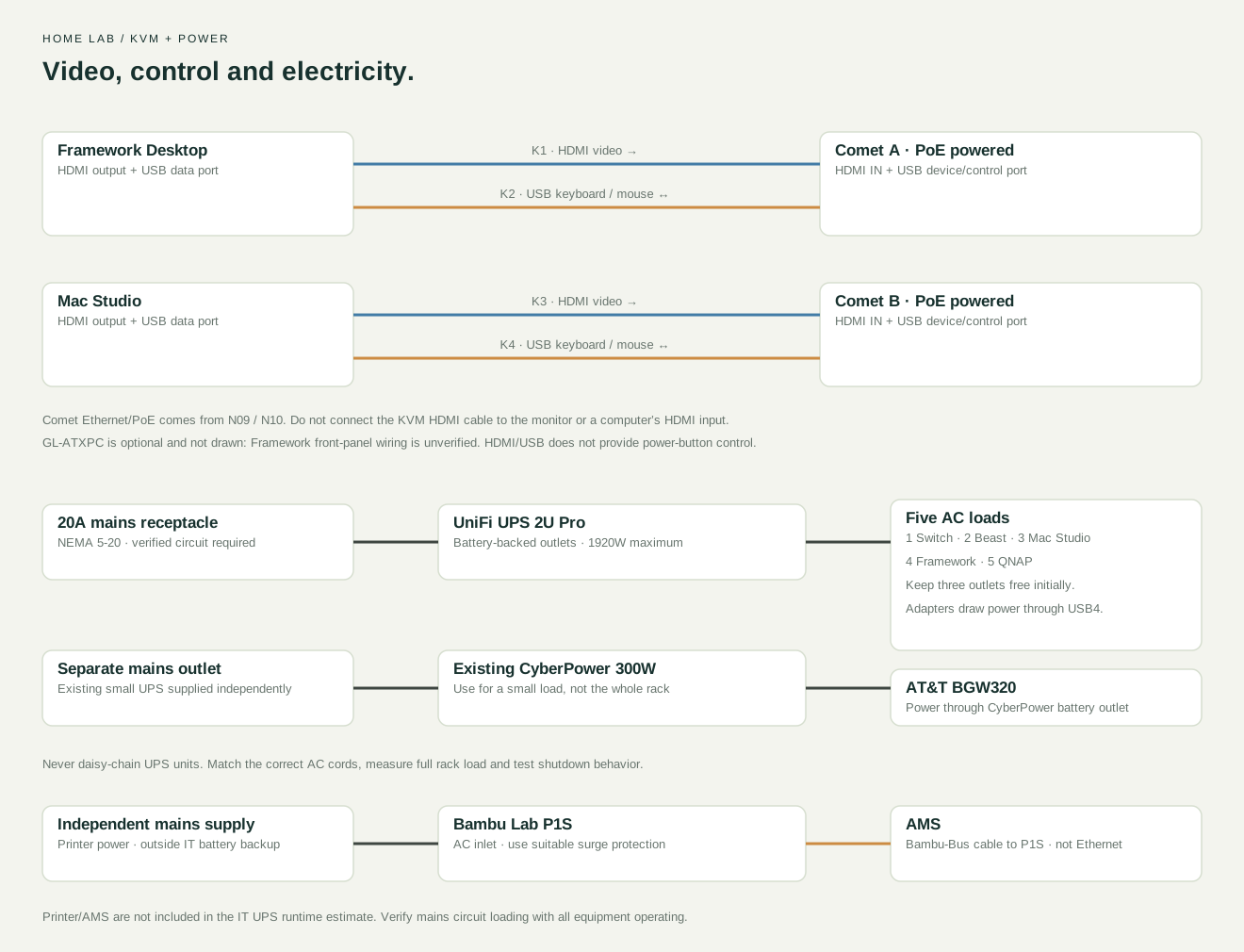
KVM and power wiring · HDMI, USB, UPS and printer
HDMI and USB connections from each computer to its Comet KVM, UPS wiring for five IT loads, and separate printer mains with AMS connection
Cable-by-cable installation schedule
LabelFromToCable / port selection
N01BGW320 blue 5Gb LANBeast 10Gb RJ45 WANCat6A; configure IP Passthrough on BGW320
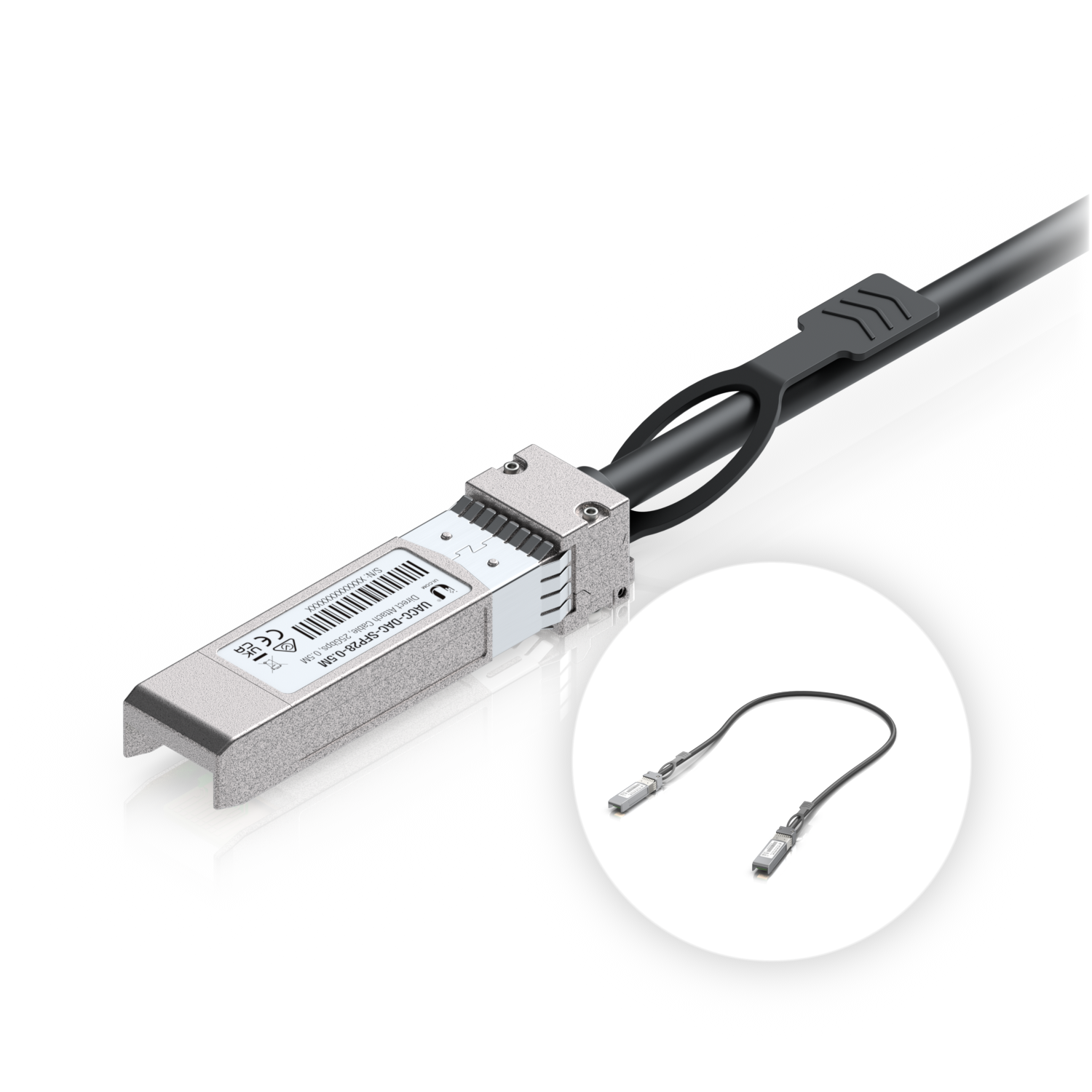
N02Beast 25Gb SFP28 LANSwitch 25Gb SFP28 uplink1m SFP28 DAC; set Beast port to LAN
N03Mac Studio built-in 10Gb RJ45Switch 10Gb RJ45 bankCat6A
N04Framework rear USB4 → UniFi adapterSwitch 10Gb RJ45 bankUSB4 cable to adapter; Cat6A from adapter
N05QNAP QXG-10G1T RJ45Switch 10Gb RJ45 bankCat6A; planned card, not currently installed
N06MacBook Air USB4 → UniFi adapterSwitch 10Gb RJ45 bankCat6A; if through a room drop, test its full channel
N07Downstairs U7 Pro XGSSwitch 10Gb PoE portEthernet home run; negotiated PoE
N08Upstairs U7 Pro XGSSwitch 10Gb PoE portEthernet home run; negotiated PoE
N09Comet A Ethernet/PoESwitch PoE copper portOne Ethernet cable supplies network + power
N10Comet B Ethernet/PoESwitch PoE copper portOne Ethernet cable supplies network + power
N11–14Four G6 camerasFour separate switch PoE portsOne outdoor-suitable Ethernet run per camera
N15Alarm Hub Ethernet/PoE inputSwitch PoE+++ capable portEnable auto negotiation; check supplied power budget
N16Siren PoESwitch PoE copper portEthernet
N17Doorbell PoESwitch PoE copper portDedicated Ethernet run to doorbell
N18PoE chimeSwitch PoE copper portDedicated Ethernet run to chime
N19UPS management EthernetSwitch spare copper portManagement only; do not pass 10Gb traffic through UPS surge jacks
N20+Leviton room patch modulesRemaining appropriate switch portsOne patch lead per active drop; map and label both ends
K1Framework HDMI OUTComet A HDMI INHDMI video cable
K2Framework USB data portComet A USB device/control portUSB cable for keyboard and mouse emulation
K3Mac Studio HDMI OUTComet B HDMI INHDMI video cable
K4Mac Studio USB data portComet B USB device/control portUSB cable for keyboard and mouse emulation
P1–5UPS battery outlets 1–5Switch / Beast / Mac Studio / Framework / QNAPCorrect AC cords; verify total load
P6Existing CyberPower battery outletBGW320 power adapterCyberPower supplied from mains, never from another UPS
P7Independent suitable mains supplyP1S AC inletPrinter outside IT battery-runtime calculation; verify circuit load
B1P1S Bambu-Bus connectionAMSManufacturer AMS cable and PTFE routing; no RJ45 Ethernet
Wi-FiP1S wireless interfaceU7 AP on compatible 2.4GHz networkTest signal with cabinet doors closed
Alarm zonesExisting compatible wired sensor circuitsAlarm Hub zone terminalsMap circuits and verify EOL resistors; not Ethernet
Before installing the printer and switching on

Measure the actual printer and AMS with their lids/doors open. Make a cardboard footprint for the printer and check the shelf opening, cabinet door sweep and access to the rear waste chute. The cabinet is being proposed for an unconventional mixed printer/IT installation, not advertised by StarTech as a certified printer enclosure.

Fit vibration isolation that keeps the printer stable, secure the rack using the manufacturer’s leveling/stability instructions, and assess vibration at the hard-drive shelf while printing. Do not run the printer on the cabinet roof or block equipment vents.

Plan ventilation and printer exhaust separately from just buying a mesh cabinet. Verify garage and internal temperatures during simultaneous printing and AI workloads. A fan cannot cool equipment below ambient garage temperature. Additional cooling, exhaust routing and isolation materials are outside the priced shopping list.

Enable a compatible 2.4GHz Wi-Fi network for the P1S and test signal with the cabinet doors shut. Its connection is wireless even when Bambu calls the feature “LAN mode.” The metal cabinet may reduce radio signal.

The UniFi adapter is Linux-compatible, with near-line-rate Linux reports on other computers; the exact Framework Desktop + Omarchy throughput is still unverified. A future hardware test should measure approximately 9.3–9.5Gbps with iperf3 for practical full 10Gb throughput, rather than relying only on a 10Gb link indicator.

The equipment list / 15 products

Product prices include known surcharges. Tax and shipping excluded.

Showing all 15 products

In UniFi cartQTY 01Dream Machine BeastUDM-Beast
Core network

Dream Machine Beast

UDM-Beast

The gateway and management center for the entire system. Runs UniFi Network and Protect, including camera recording.

$1,651.00 each
View product ↗
Specs & setup notes

At a glance

  • 25Gb uplink to the Pro XG switch
  • 25Gbps advertised IDS/IPS capability
  • Two 3.5-inch SATA recording-drive bays

For this build

Use AT&T BGW320 IP Passthrough; connect its blue multi-gig port to the gateway. Your internet service remains limited by the 1Gb plan.

Use your two existing 6TB SkyHawk drives. Mirroring provides approximately 6TB usable before formatting overhead. Initialization erases drives.

No separate NVR or user-installable NVMe drive is included in this plan.

In UniFi cartQTY 02U7 Pro XGSWhite · Wi-Fi 7 access point
Wi-Fi

U7 Pro XGS

White · Wi-Fi 7 access point

Two wired access points provide a starting layout of one per floor. Keep access points inside the living space.

$329.00 each$658.00 total
View product ↗
Specs & setup notes

At a glance

  • 10Gb Ethernet uplink
  • Powered by the PoE switch
  • Quantity 2 · $658 line total

For this build

Final placement depends on walls and cable locations; square footage alone does not establish coverage.

Your M4 MacBook Air uses Wi-Fi 6E. It can connect to these APs, but wired 10Gb is the fastest option for large transfers.

In UniFi cartQTY 04G6 TurretWhite · exterior camera
Security

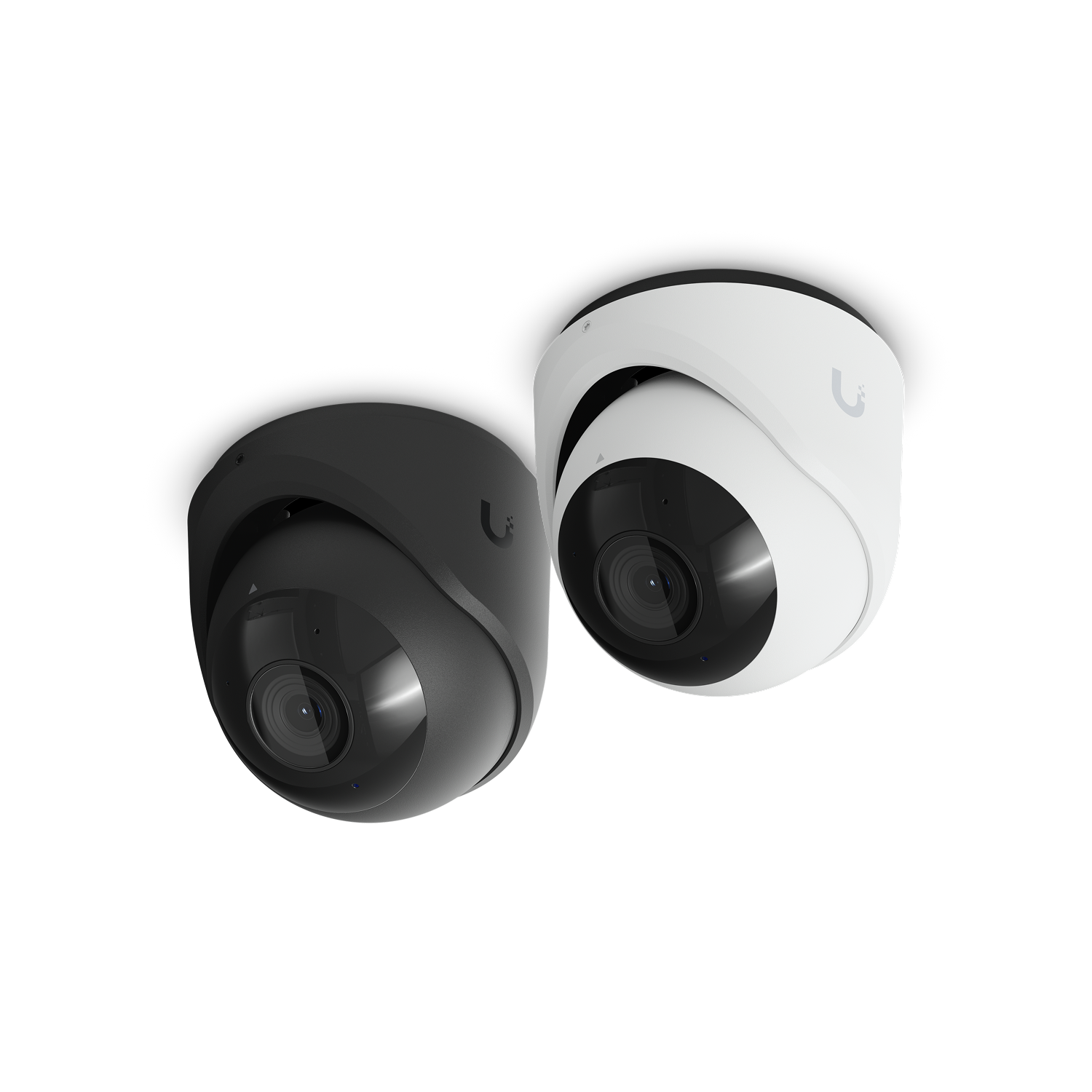
G6 Turret

White · exterior camera

Four proposed exterior cameras, recorded and managed in UniFi Protect on the Beast.

$233.00 each$932.00 total
View product ↗
Specs & setup notes

At a glance

  • Wired PoE connection
  • 4K camera family
  • Quantity 4 · $932 line total

For this build

Four cameras is a planning allowance. Confirm fields of view and mounting positions before ordering.

Allow for weatherproof cable entries and junction boxes where needed. Existing Reolink ONVIF cameras may also be reusable with reduced Protect features.

In UniFi cartQTY 01Protect Alarm Hub KitUP-AlarmHub-Kit
Security

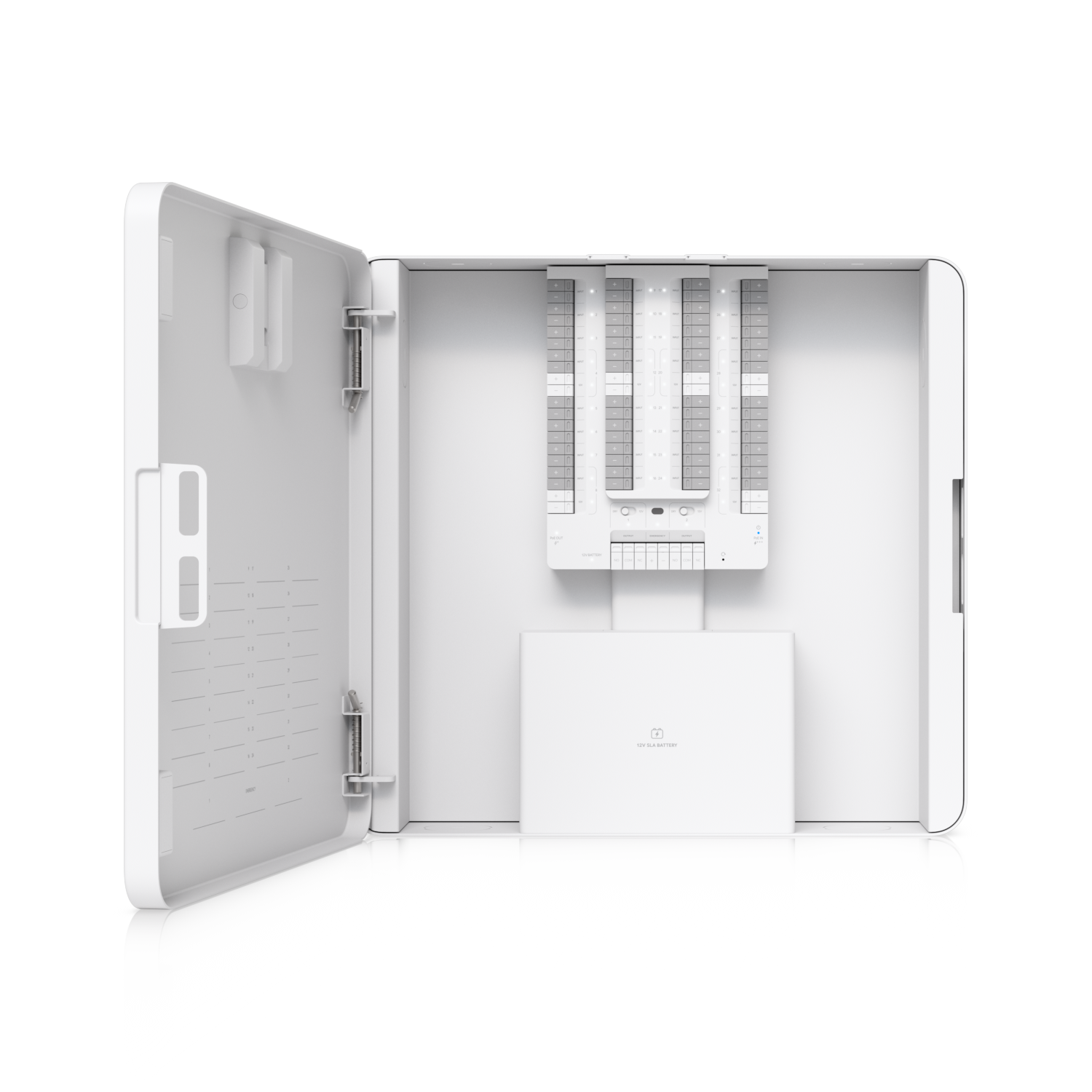
Protect Alarm Hub Kit

UP-AlarmHub-Kit

A replacement hub for bringing compatible wired door and window sensor circuits into UniFi Protect.

$439.00 each
View product ↗
Specs & setup notes

At a glance

  • 32 wired sensor inputs
  • PoE++ / PoE+++ input
  • Compatible EOL resistance: 1–5.6kΩ

For this build

Map and test the Honeywell zones before moving circuits. Existing keypads and expanders are not assumed reusable.

Optional 12V SLA backup battery: verify fit, connections and the health of your existing battery before purchasing.

In UniFi cartQTY 01Siren PoEUP-Siren-PoE
Security

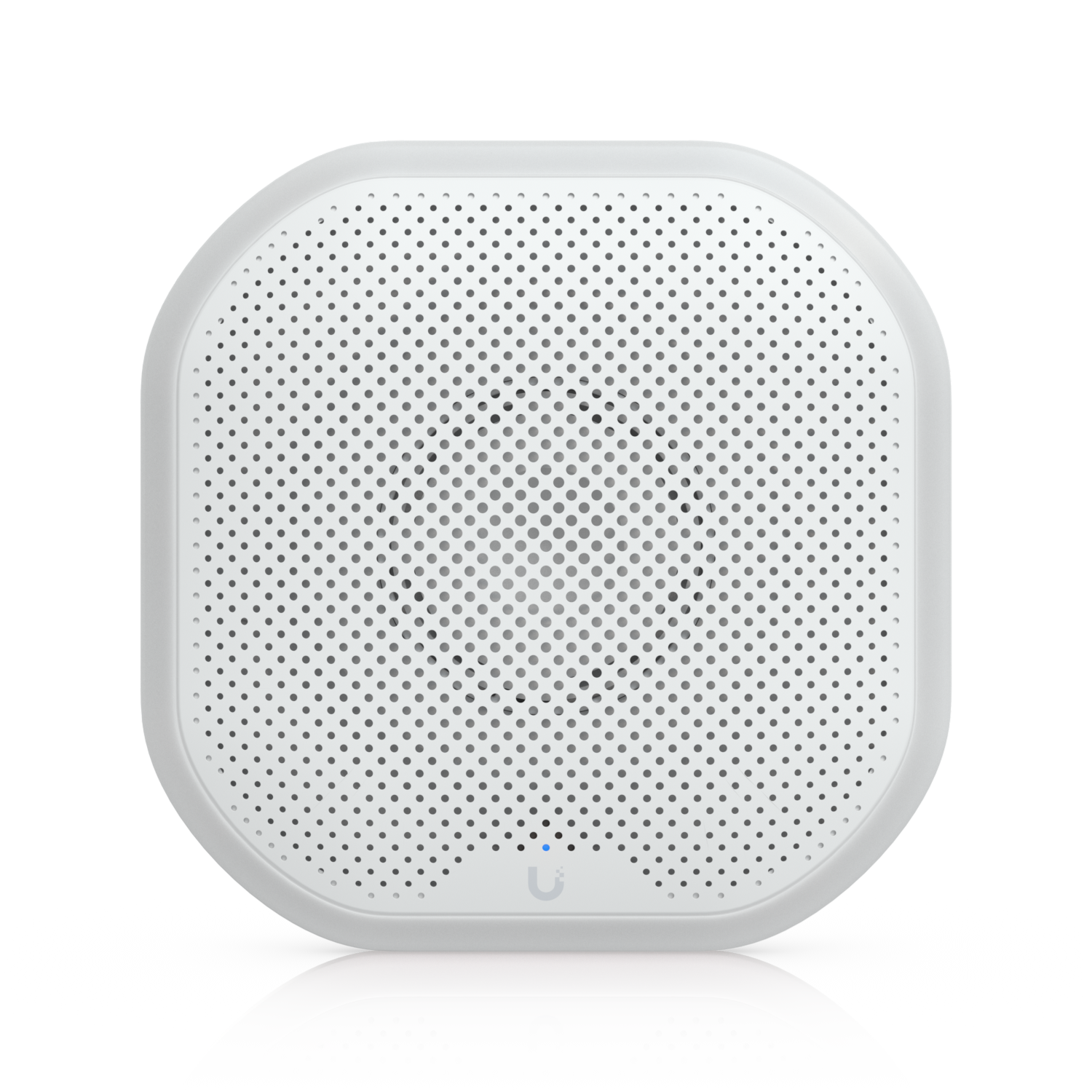
Siren PoE

UP-Siren-PoE

A network-connected audible alarm for the Protect alarm installation.

$120.00 each
View product ↗
Specs & setup notes

At a glance

  • Powered through Ethernet
  • Managed with UniFi Protect

For this build

Choose a location where the alarm can be heard throughout the home. Verify indoor/outdoor suitability for the intended mounting location.

In UniFi cartQTY 0210Gb Ethernet adapterUACC-Adapter-RJ45-USBC-10GE
Compute

10Gb Ethernet adapter

UACC-Adapter-RJ45-USBC-10GE

One USB-C adapter for the Framework Desktop and one for the MacBook Air.

$169.00 each$338.00 total
View product ↗
Specs & setup notes

At a glance

  • USB4 / Thunderbolt 3 or 4 host required
  • 10Gb RJ45 Ethernet
  • Linux, Windows and macOS 14.2+ listed

For this build

Framework: plug directly into a rear USB4 port and use Cat6A to a 10Gb switch port. Avoid front expansion ports for this adapter.

Omarchy is Arch-based. Generic Linux support is published, but this exact Omarchy combination is not certified or tested here. Confirm detection, 10Gb link and iperf3 throughput after installing.

The adapter appears as a wired network interface. It does not require UniFi adoption or a controller on the computer.

In UniFi cartQTY 0125Gb direct attach cableUACC-DAC-SFP28-1M · 1m
Cabling

25Gb direct attach cable

UACC-DAC-SFP28-1M · 1m

The short, direct high-speed link between the Beast and the Pro XG switch.

$25.00 each
View product ↗
Specs & setup notes

At a glance

  • SFP28 DAC
  • 1m length
  • 25Gb switch-to-gateway link

For this build

Connect matching SFP28 ports. A DAC includes its transceiver ends; no separate optical modules are needed for this connection.

In UniFi cartQTY 01Premium Cat6A patch cablesWhite · 1m · ten-pack
Cabling

Premium Cat6A patch cables

White · 1m · ten-pack

Rack patching for computers, NAS and other wired devices.

$65.00 each
View product ↗
Specs & setup notes

At a glance

  • 10 cables per pack
  • Cat6A
  • 1m each

For this build

This is an initial pack, not enough for every possible room drop. Map active drops and measure rack-to-Leviton distances before adding more.

Keep existing Cat5e home runs. Test all eight conductors and negotiated speed; 10Gb performance is not guaranteed on every existing Cat5e run.

In Amazon cartQTY 0142U enclosed cabinetStarTech RK4242BK24
Rack & power

42U enclosed cabinet

StarTech RK4242BK24

A locking 19-inch floor cabinet sized for the networking, computers and a dedicated internal P1S + AMS bay.

$2,008.87 each
View product ↗
Specs & setup notes

At a glance

  • 42U · mesh locking front/rear doors
  • Adjustable rails · approximately 1.1m cabinet depth
  • Amazon offer: Provantage LLC

For this build

Replaces the open 18U rack, which has been removed from the cart. Cabinet cost is $2,008.87 before tax; delivery terms must be reviewed at checkout.

The printer bay is a planning allocation, not a CAD-verified installation. Verify rack opening, shelf, door swing, AMS lid opening, rear chute and cable clearances before purchase.

Cabinet manual prohibits placing items on the roof. Keep the printer on the dedicated internal shelf; mesh doors are ventilated, not dust-sealed.

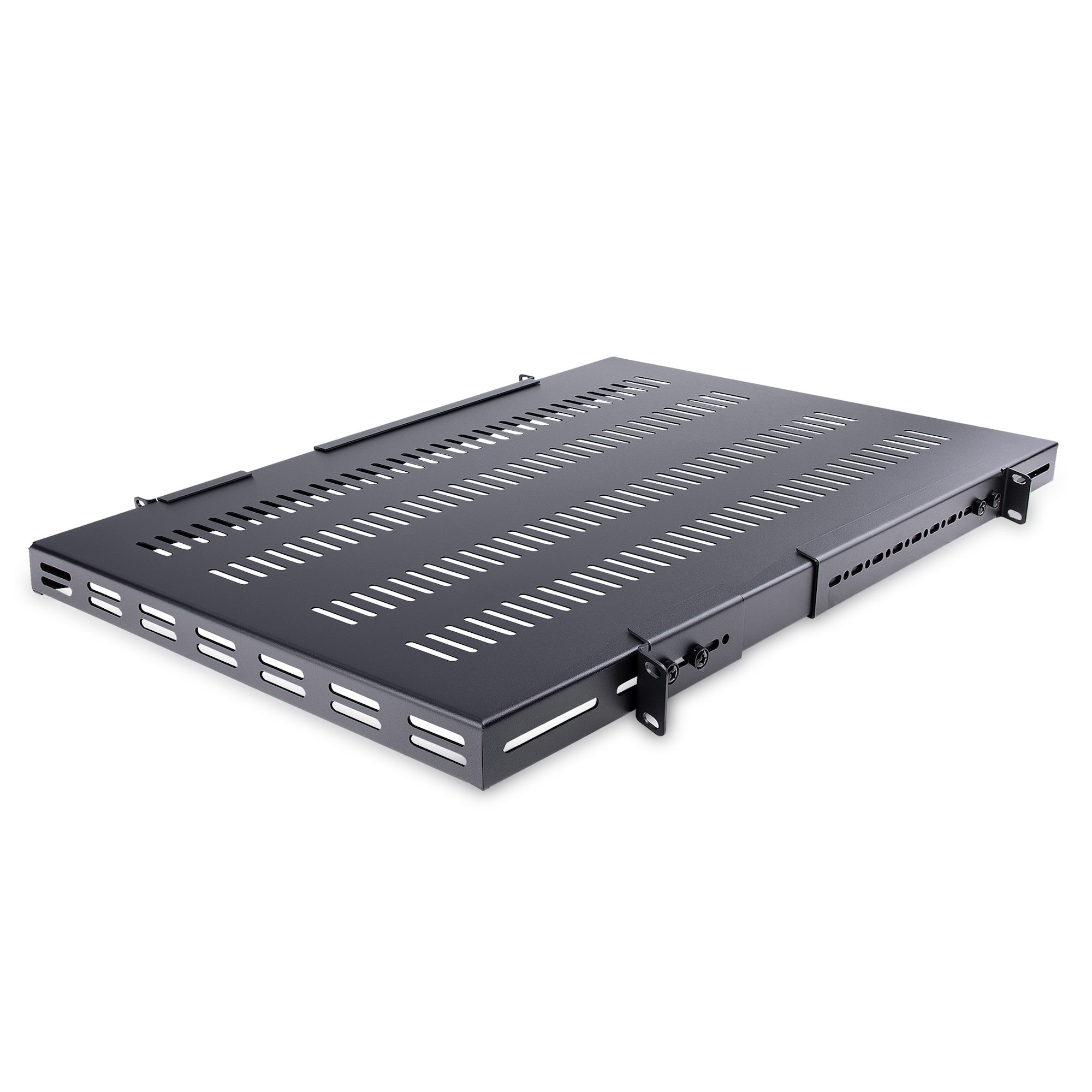
In Amazon cartQTY 03Four-post vented shelvesStarTech ADJSHELFHDV
Rack & power

Four-post vented shelves

StarTech ADJSHELFHDV

Three shelves: one for the computers, one for the NAS and KVMs, and one dedicated to the P1S and AMS.

$112.35 each$337.05 total
View product ↗
Specs & setup notes

At a glance

  • 1U mounting profile per shelf
  • 446mm wide × 700mm deep tray
  • 150kg / 330lb published capacity

For this build

Keep the Framework upright in its existing case, beside the Mac Studio. Keep the NAS and KVMs on a second shelf for ventilation and service access.

The third shelf supports the printer. A 389mm printer body leaves only about 28.5mm on each side of this tray; confirm door and service access with actual measurements.

Reserve 24U for printer/AMS, including shelf, isolation and lid clearance. Static weight capacity does not establish vibration isolation performance.

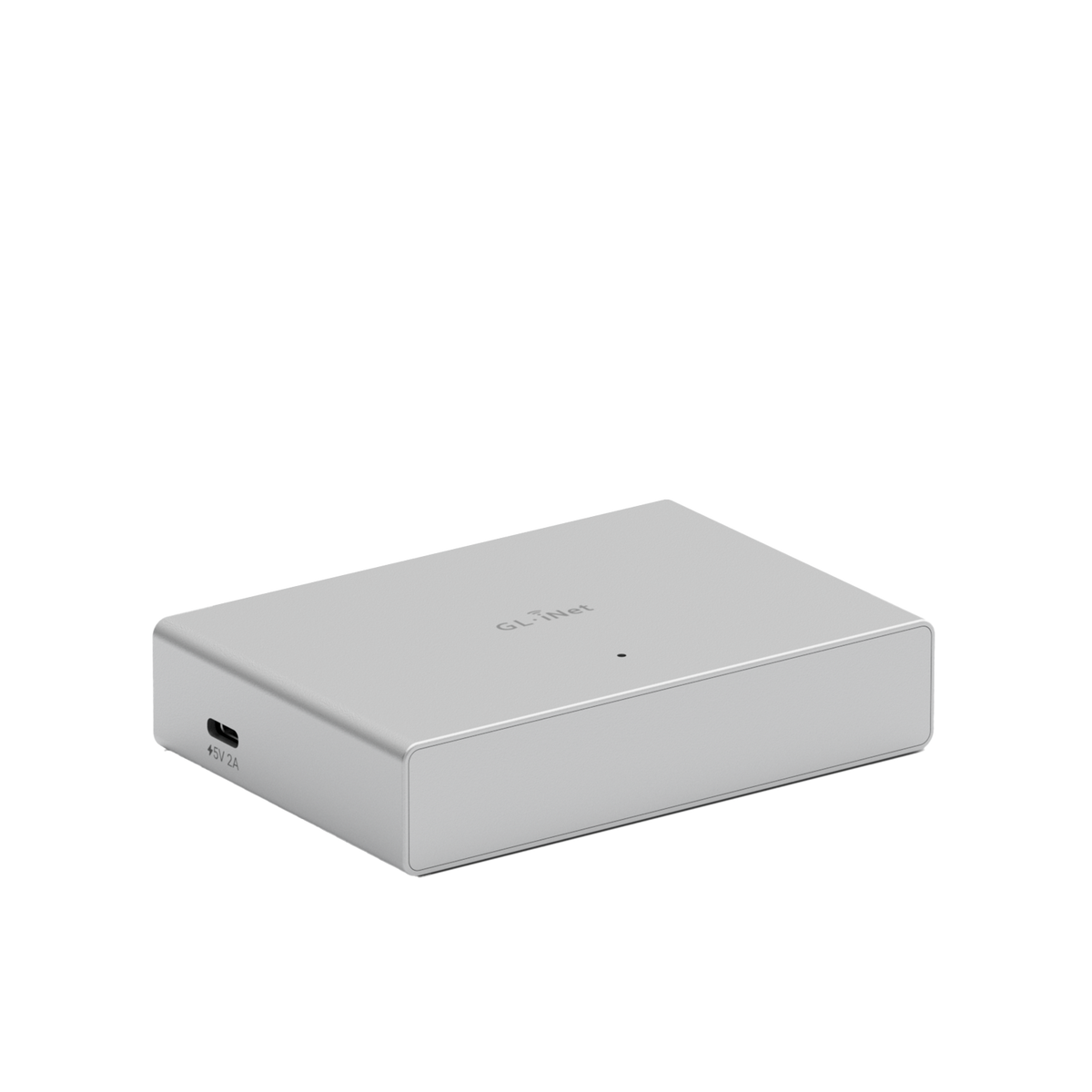
In Amazon cartQTY 01Comet PoE remote KVMGL.iNet GL-RM1PE
Compute

Comet PoE remote KVM

GL.iNet GL-RM1PE

A second Comet gives each desktop its own independent browser-based remote console.

$115.99 each
View product ↗
Specs & setup notes

At a glance

  • HDMI video capture + USB keyboard/mouse
  • PoE network and power
  • One Comet per computer

For this build

Keep your existing Comet; this cart item is the second unit. Connect each computer’s HDMI output and a USB data port.

Mac power control is separate from HDMI/USB KVM. Framework GL-ATXPC power-button compatibility still needs verification; do not assume the connector is plug-compatible.

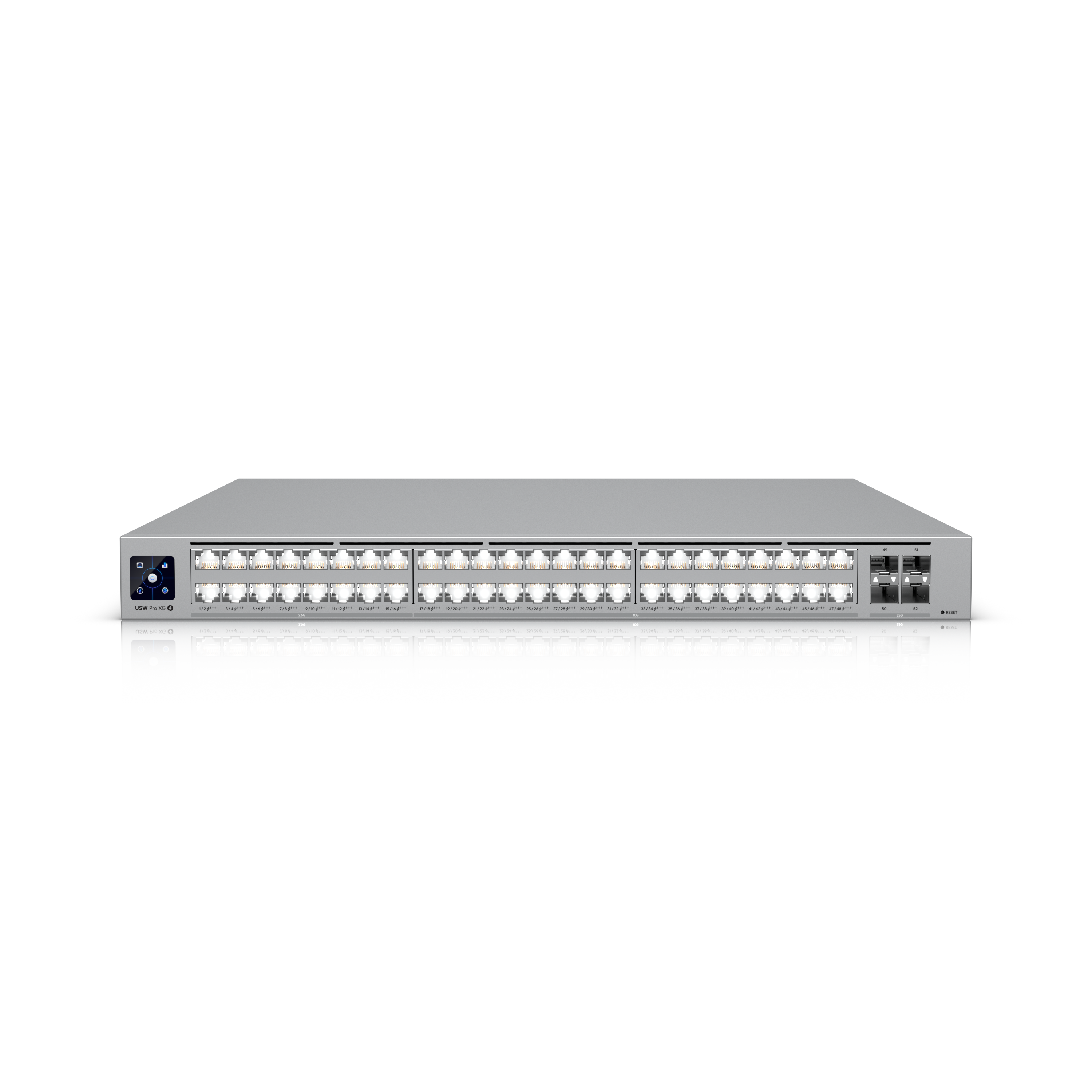
Still needed · unavailableQTY 01Pro XG 48 PoEUSW-Pro-XG-48-PoE · 1080W
Core network

Pro XG 48 PoE

USW-Pro-XG-48-PoE · 1080W

The main switch supplies Ethernet and PoE power to access points, cameras, alarm hardware and KVMs.

$2,753.00 each
View product ↗
Specs & setup notes

At a glance

  • 32 × 10Gb RJ45 + 16 × 2.5Gb RJ45
  • 4 × 25Gb SFP28 uplinks
  • 90W PoE+++ ports · 972W total at 100–120V

For this build

Not in cart: sold out. Expected restock October 26, 2026; estimate may change.

The Beast does not provide the PoE switching needed by this build. This switch is essential.

The PoE budget is capacity, not constant consumption. Size UPS protection against measured total load and future expansion.

Still needed · unavailableQTY 01G4 Doorbell Pro PoE KitDoorbell + PoE chime
Security

G4 Doorbell Pro PoE Kit

Doorbell + PoE chime

A wired doorbell with a matching PoE chime, integrated into Protect.

$444.00 each
View product ↗
Specs & setup notes

At a glance

  • PoE doorbell
  • PoE chime included
  • Dedicated Ethernet runs required

For this build

Not in cart: currently unavailable; no confirmed restock date.

Existing two-wire doorbell cable cannot directly serve as standard Ethernet. Plan an Ethernet run to the door and chime.

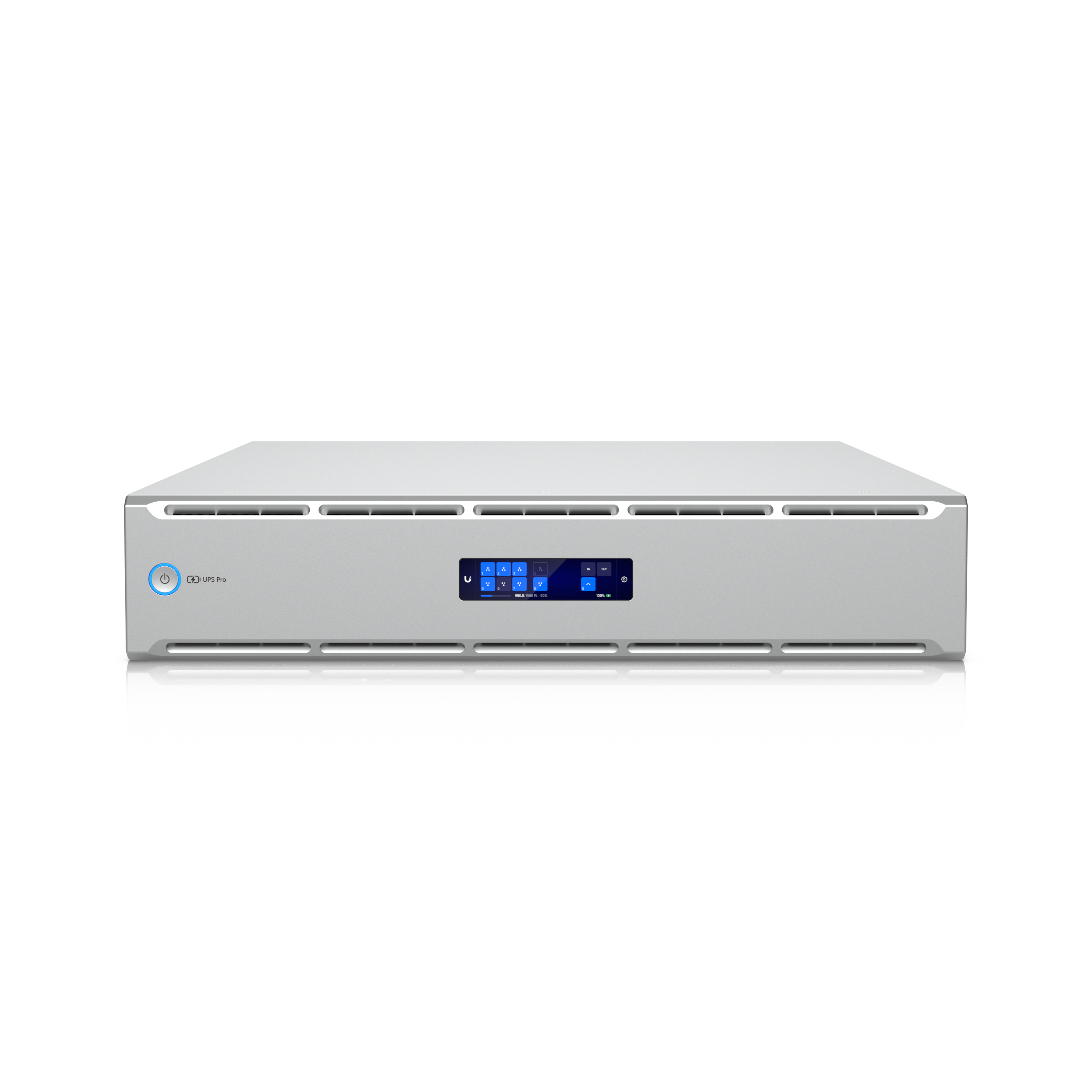
Still needed · unavailableQTY 01UPS 2U ProUPS-2U-Pro-US
Rack & power

UPS 2U Pro

UPS-2U-Pro-US

Battery backup with UniFi outlet monitoring and remote power control.

$748.00 each
View product ↗
Specs & setup notes

At a glance

  • 1920VA / 1920W · pure sine wave
  • 8 individually controlled battery outlets
  • 720Wh · rated 22 minutes at 960W

For this build

Not in cart: expected restock November 26, 2026; estimate may change.

Requires a 20A circuit and NEMA 5-20 receptacle. Your 300W CyberPower is not sized for the complete rack.

One unit is planned for the current build. Measure peak load and reserve headroom; full future PoE expansion may require more capacity.

NUT integration supports third-party shutdown workflows; configure and test QNAP, Omarchy and Mac behavior. Do not assume automatic graceful shutdown of every device.

Still needed · unavailableQTY 01QNAP 10Gb expansion cardQXG-10G1T · exact original model
Compute

QNAP 10Gb expansion card

QXG-10G1T · exact original model

Upgrades the TS-264 NAS connection from its built-in 2.5Gb ports to 10Gb Ethernet.

Price pending
View product ↗
Specs & setup notes

At a glance

  • Single 10Gb RJ45 port
  • QNAP lists this model for TS-264
  • Installs in the NAS PCIe expansion slot

For this build

Not in cart: exact model currently unavailable on Amazon; price is not confirmed.

Do not substitute QXG-10G1T-X without verifying QNAP support. Confirm the physical slot is available before installation.

10Gb link speed is not a promise of 10Gb file speed. HDD arrays, storage layout, CPU and protocol overhead can be bottlenecks.

Your carts, ready to review

These links open the retailer account signed in on your device.

01 / UNIFI STORE

Network + security

$4,228.00 13 units · 8 product lines

Beast, two access points, four cameras, alarm hub, siren, two adapters, DAC and a ten-pack of patch cables. The switch, doorbell and UPS are still unavailable and are not in this cart.

Open UniFi cart ↗
02 / AMAZON

Rack + remote access

$2,461.91 5 units · 3 product lines

One 42U enclosed cabinet, three shelves and one additional Comet PoE. The full Amazon cart is $2,506.88 including $44.97 of pre-existing unrelated items. The QNAP card is not in the cart.

Open Amazon cart ↗
PLANNED EQUIPMENT BUDGET

Includes both carts’ network items and the three outstanding UniFi devices. Excludes the unpriced QNAP card, printer isolation, ventilation accessories, installation materials, tax and shipping.

$10,634.91 + NAS card

What you’re reusing & how it fits

The details that matter before installation

Existing computers, storage & KVM equipment

Framework Desktop
128GB RAM, 8TB NVMe storage, built-in 5Gb Ethernet. Run Omarchy and connect the UniFi adapter directly to a rear USB4 port for 10Gb networking. Use built-in Ethernet during installation.

Mac Studio
512GB memory, built-in 10Gb Ethernet. Connect directly to a 10Gb switch port. Local model inference stays on the Mac; network throughput affects loading and copying models.

MacBook Air M4
The main control computer. Use its UniFi USB4 adapter for wired 10Gb, or its Wi-Fi 6E radio with the new Wi-Fi 7 access points.

QNAP TS-264
16GB memory, two built-in 2.5Gb ports, two 8TB HDDs in RAID1 and a separate 1TB NVMe volume. The planned QXG-10G1T provides one 10Gb connection.

Two existing 6TB SkyHawk drives
Reuse for Protect in the Beast. Plan mirrored storage. These are the drives you chose to reuse; no additional recording drives are in the carts.

Existing Comet PoE + GL-ATXPC
Keep the original Comet and add the second one. Verify the Framework’s front-panel wiring before connecting GL-ATXPC. A KVM alone does not guarantee remote power-on.

Omarchy + the UniFi 10Gb adapter

Connection: Framework rear USB4 → UniFi USB-C 10Gb adapter → Cat6A → switch 10Gb port.

Ubiquiti lists Linux compatibility. Omarchy is based on Arch Linux, but the exact adapter + Omarchy combination has not been tested here. No controller or adoption is required for the adapter itself.

After installation, confirm the network interface appears, check the negotiated link with ethtool, then test against another wired 10Gb machine with iperf3. Diagnose any USB4 authorization or driver issue from the actual device and kernel logs instead of installing a guessed driver.

UniFi adapter specifications ↗ · Framework USB port guide ↗

Wiring, Wi-Fi placement & exterior installation

Reuse the Leviton patch modules and Cat5e runs after mapping and testing. Phone-designated cable may be repurposed only after checking that it is suitable four-pair cable, disconnecting phone service, and terminating both ends correctly.

Plan one ceiling-mounted AP per floor initially. Run Ethernet to the doorbell, PoE chime, new camera locations and alarm hub as needed. Choose patch lengths after measuring the actual rack and cabinet layout.

Outdoor camera cable entries require appropriate sealing and protection. Additional mounts, junction boxes, cable and termination supplies are not yet selected or in the carts.

Battery backup, rack depth & garage conditions

The UniFi UPS 2U Pro requires a 20A circuit and a NEMA 5-20 receptacle. The existing CyberPower OR500LCDRM1U is 500VA / 300W and can serve a smaller independent load such as the AT&T gateway.

The 42U enclosure replaces the open 18U rack. Adjust the rail depth to fit the deep switch, shelves and UPS, with rear cable clearance. Reserve a separate internal bay for the existing P1S and AMS. Mount heavy batteries low and preserve airflow around the desktops and NAS. Do not stack equipment over intake or exhaust vents.

Check garage temperature against every device’s operating range before installation. Measure the complete rack’s maximum workload and configure tested shutdown behavior before relying on battery runtime.

Honeywell sensors & existing Reolink cameras

The Alarm Hub has 32 wired inputs and supports EOL resistors from 1–5.6kΩ. Map the existing circuits and check resistor placement, sensor type and power needs. Existing Honeywell keypads and expansion modules are not assumed compatible.

Protect can adopt supported third-party ONVIF cameras. Check each Reolink model, firmware and ONVIF settings. Live view and recording may work, but do not assume the full native UniFi feature set.

Alarm Hub specifications ↗ · Third-party camera support ↗